Building on the Sales Representative role we introduced in 2024, customers can now be assigned to a specific team member, and what a sales rep can see across the app reflects that assignment.
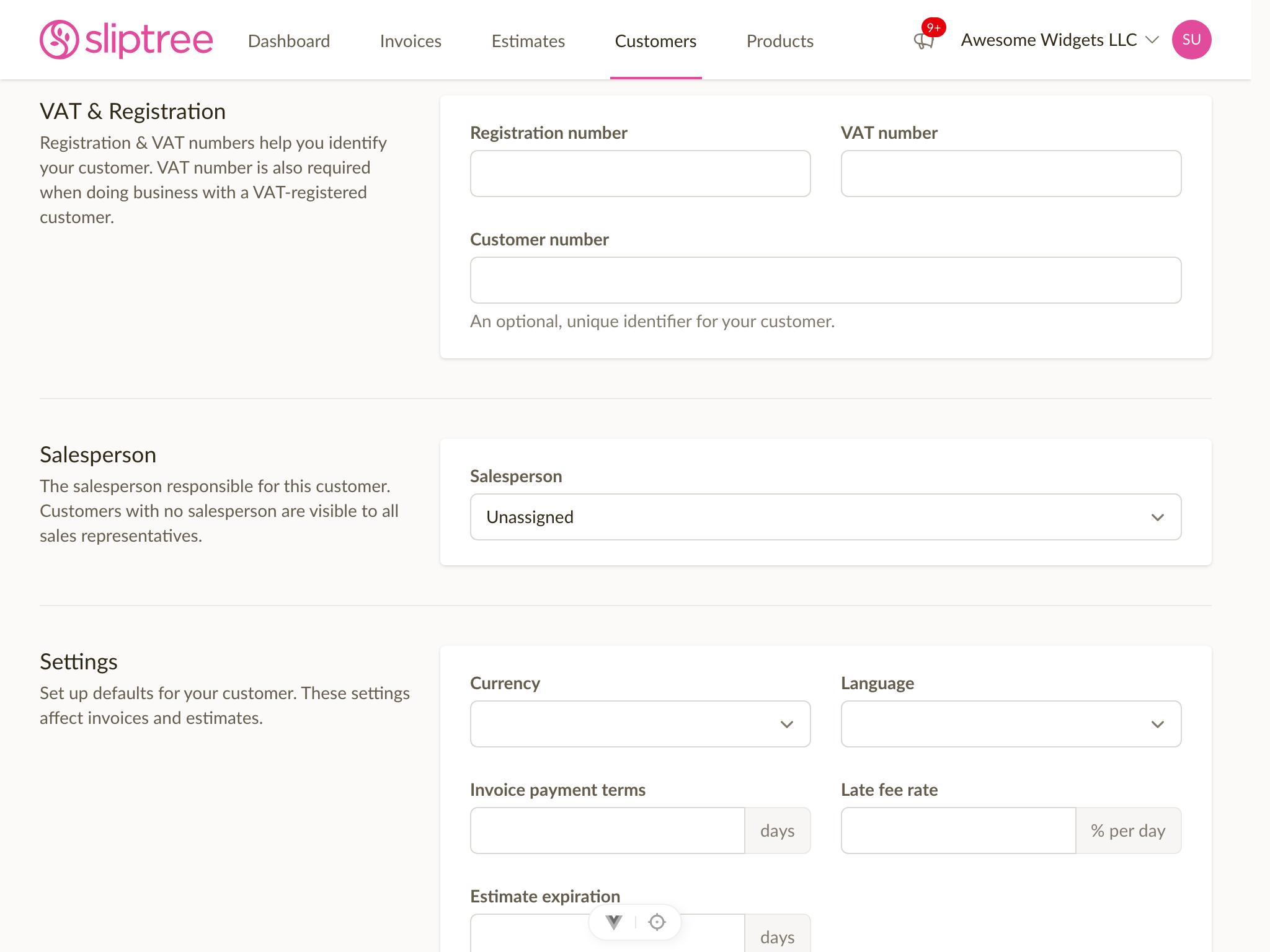
Assign a salesperson to each customer
When you create or edit a customer, you can pick the team member responsible for them. Customers without a salesperson are visible to everyone — a useful shared pool for trade-show contacts, walk-ins, or anything that hasn't been claimed yet.
Sales reps only see what's theirs
A sales rep now sees only the customers they're assigned to, plus the shared pool. Other reps' customers are completely hidden from them — they don't show up in the list, in search, or via direct URL. Admins continue to see everything.
This matches how invoices and estimates already worked for sales reps, and means the role is now a coherent end-to-end scoping mechanism rather than just an invoice-level restriction.
Filter customers, invoices, and estimates by who they belong to
Admins get a new Salesperson filter on the customer list and a Created by filter on invoices and estimates. Sort by them, filter to a single team member, or use the Unassigned option to find customers still in the shared pool.
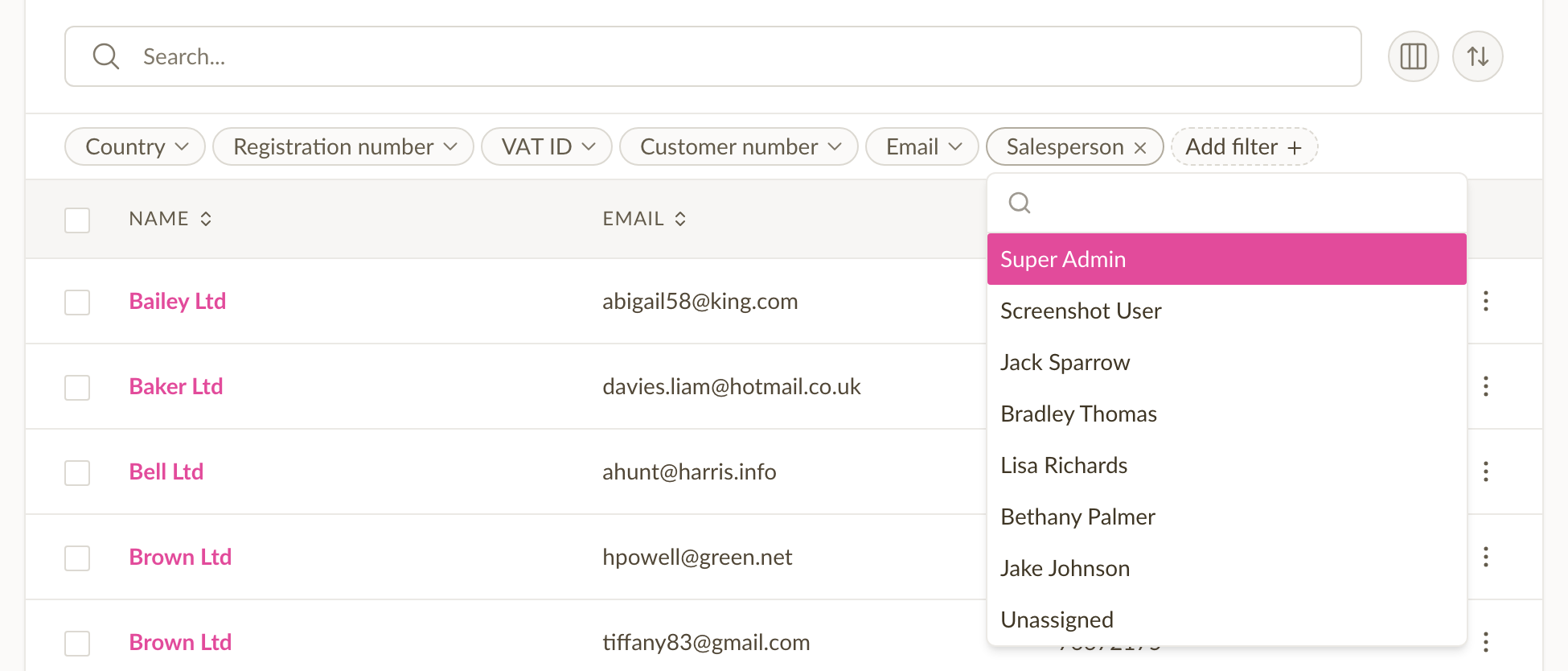
Both lists also gained a default-hidden Salesperson / Created by column you can toggle on if you want it visible at a glance.
Reassign customers in bulk
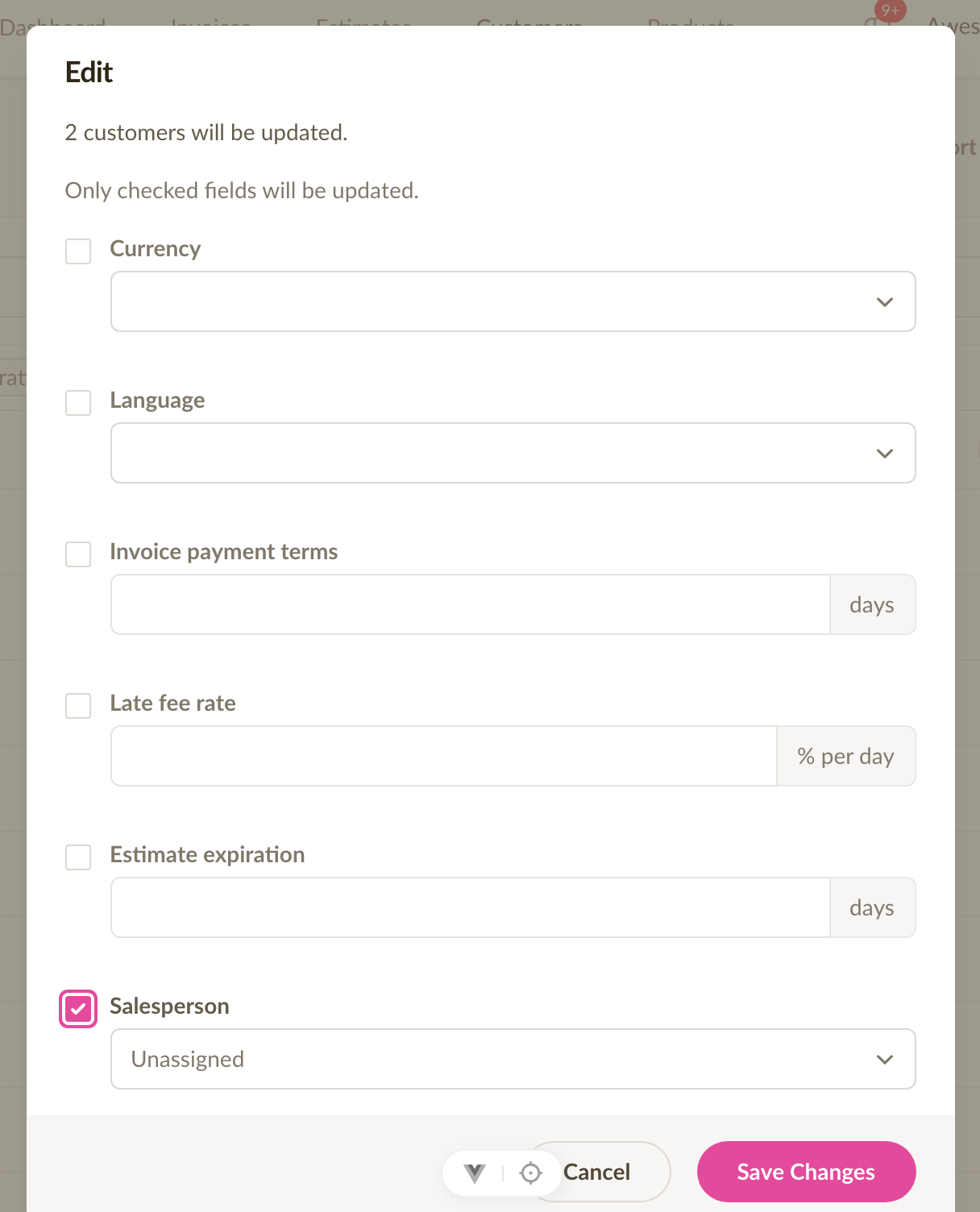
When a team member leaves or you reshuffle territories, you can now select multiple customers and reassign them to another team member — or back to the shared pool — in one go. No more editing customers one at a time.
Other small touches
The customer details card now shows the assigned salesperson, the form preselects the current user for sales reps creating a customer, and the role-change confirmation dialog now describes the sales rep scope accurately for both invoices and customers.