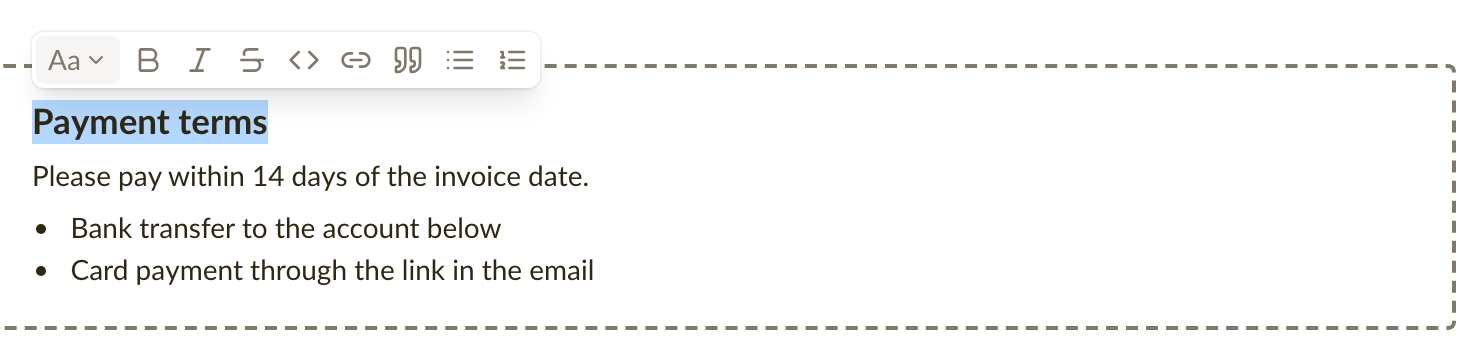
You can now format the text on invoices and estimates: bold, lists, headings and links in the notes and in line item and product descriptions, so payment terms and product details read the way you meant them. Comments and emails get the same editor, so formatting is easier there too: select some text and a small toolbar does the rest, with no Markdown to remember. What you see while writing is what the customer gets on the page, in the PDF and in the email.
Format text where you write it
Select some text in a note, a description or a comment and a small toolbar appears with bold, italic, strikethrough, links, quotes and bulleted or numbered lists. Each option also has a keyboard shortcut, and the toolbar shows it when you hover over a button. Notes and emails can carry headings and a horizontal rule as well, so longer terms and conditions get a structure the customer can scan.
Notes and descriptions written earlier look exactly as before, and if you prefer typing Markdown, it still works. See Formatting text for the full list.
Placeholders in emails are picked from a list
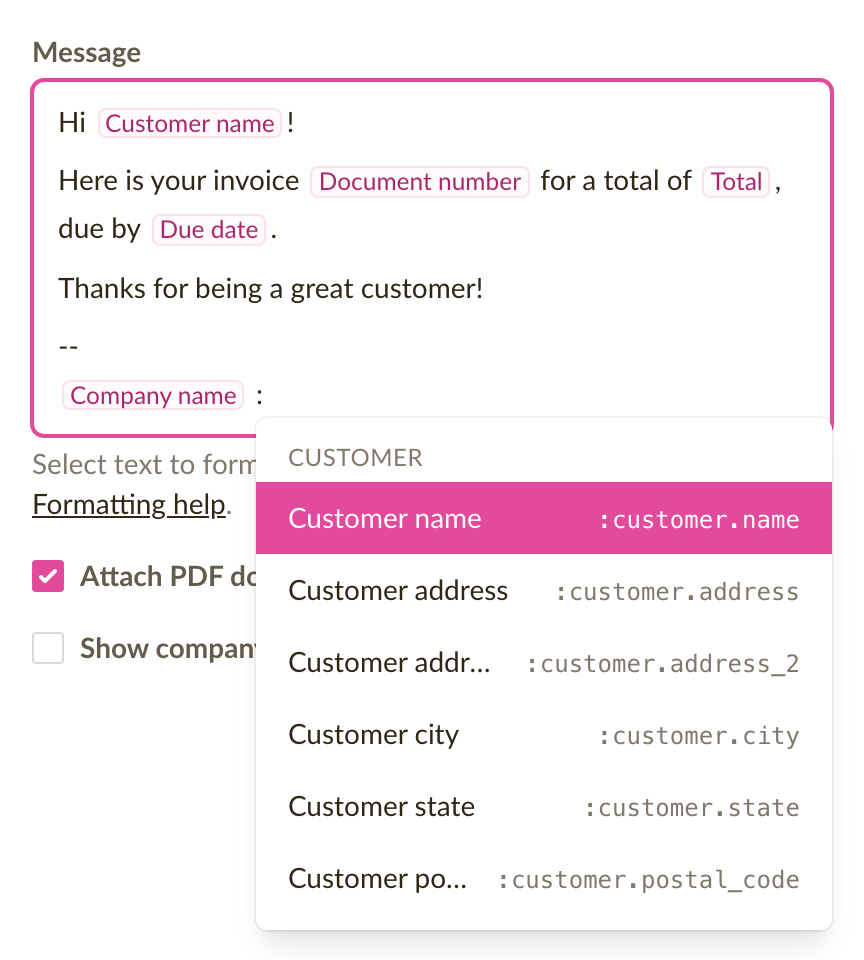
In an email template, or in the message when you click Send invoice, type : and pick a placeholder from the list that opens: the customer's name, the invoice number, the amount due, the due date and so on. The placeholder sits in the text as a labelled chip, so you read Customer name while writing instead of :customer.name. The real value is filled in when the email is sent. Existing templates keep working unchanged. See Using placeholders in emails.
Fixes and improvements
- Editing an invoice with hundreds of line items is noticeably faster: clicking into a description or typing no longer makes the editor pause.
- The page break line in the editor now shows on phones as well, between the line items in the mobile layout. It also runs through a long description or the notes, at the line where the printed page ends, and follows the text as you type.
- The Next document number can no longer end up on a number that is already taken, which could make confirming an invoice fail. If you choose a number that is in use, the field says so as you type.
- Pressing Back in the browser after saving an invoice or estimate no longer reopens the form you just saved, so the same document cannot be saved twice by accident.