You can now see where each printed page ends while editing an invoice or estimate, so you know the page count before you download the PDF. Line items also take less room in the editor, and PDFs download noticeably faster.
Page breaks are shown in the editor
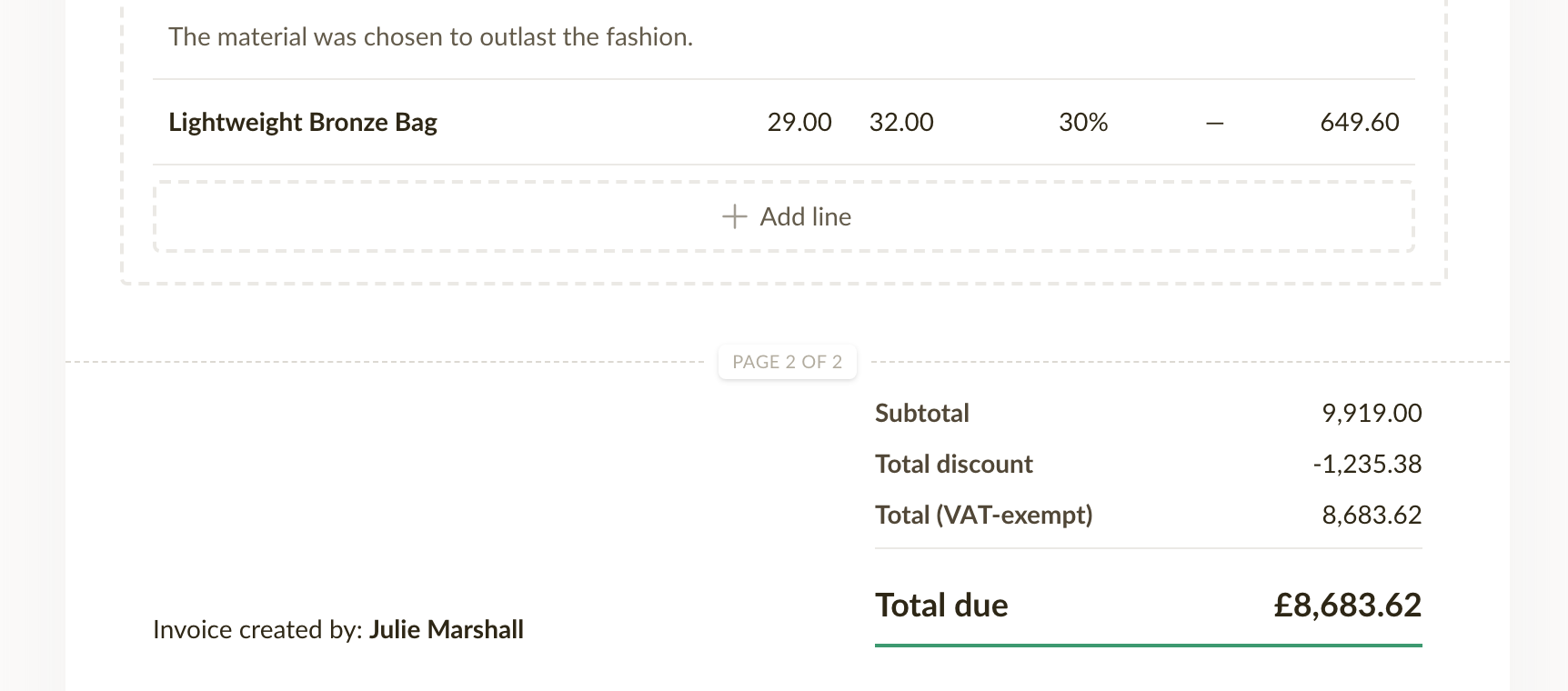
A dashed line with a page number marks where each printed page ends, and it moves as you add line items or write longer descriptions. The line is only a guide and changes nothing in the document itself.
Empty description and SKU fields are hidden in the editor
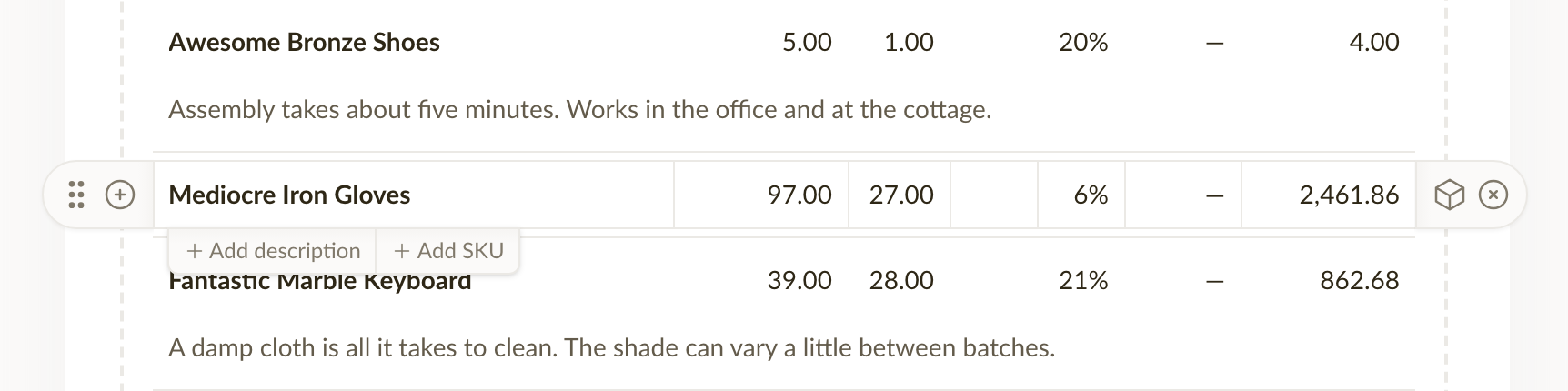
When you edit an invoice or estimate, a line item now shows its description and SKU fields only when there is something in them, so a document with plain line items takes far less room on screen. Before, both fields were drawn on every line whether you used them or not. Hover a line item and + Add description and + Add SKU appear underneath it. A field with text in it always stays visible, and clearing one folds it away again once you move to another line.
Fixes and improvements
- Downloading a PDF and exporting documents are noticeably faster, also on documents with hundreds of line items.
- A line item description that is too long to fit on one page now continues on the next page instead of being cut off in the PDF.