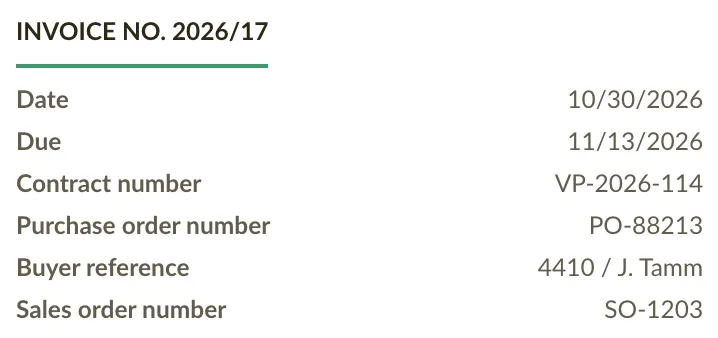
When a customer asks you to put a contract number or a purchase order number on the invoice, it now has a field of its own. The number is printed on the invoice and travels in the e-invoice too, so your customer's accounting software can match the invoice without anyone retyping it.
Read more about contract and order numbers on invoices.
Four new fields in the invoice editor
Public-sector customers often require the contract number on the invoice, and a larger company matches an invoice to its order by the purchase order number. Until now you had to write these into the notes, which a person can read but accounting software cannot.
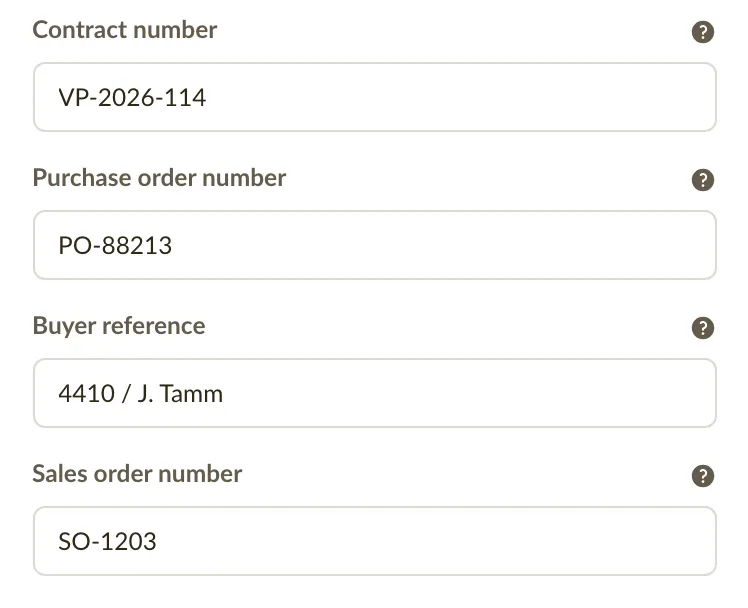
While you create an invoice, click the area with the invoice number and date, and then Add contract or order number. Four fields open: Contract number, Purchase order number, Buyer reference (a code or a name your customer wants on the invoice, such as a cost centre) and Sales order number (your own order or job number). All four are optional, so you fill in only the ones your customer asked for.
The numbers are on the invoice your customer gets
Each field you fill in appears on the invoice under the number and the date, and an empty one leaves no trace. You can use the same fields on credit notes and recurring invoices.