This update was published over a year ago. Some of the information may be outdated.
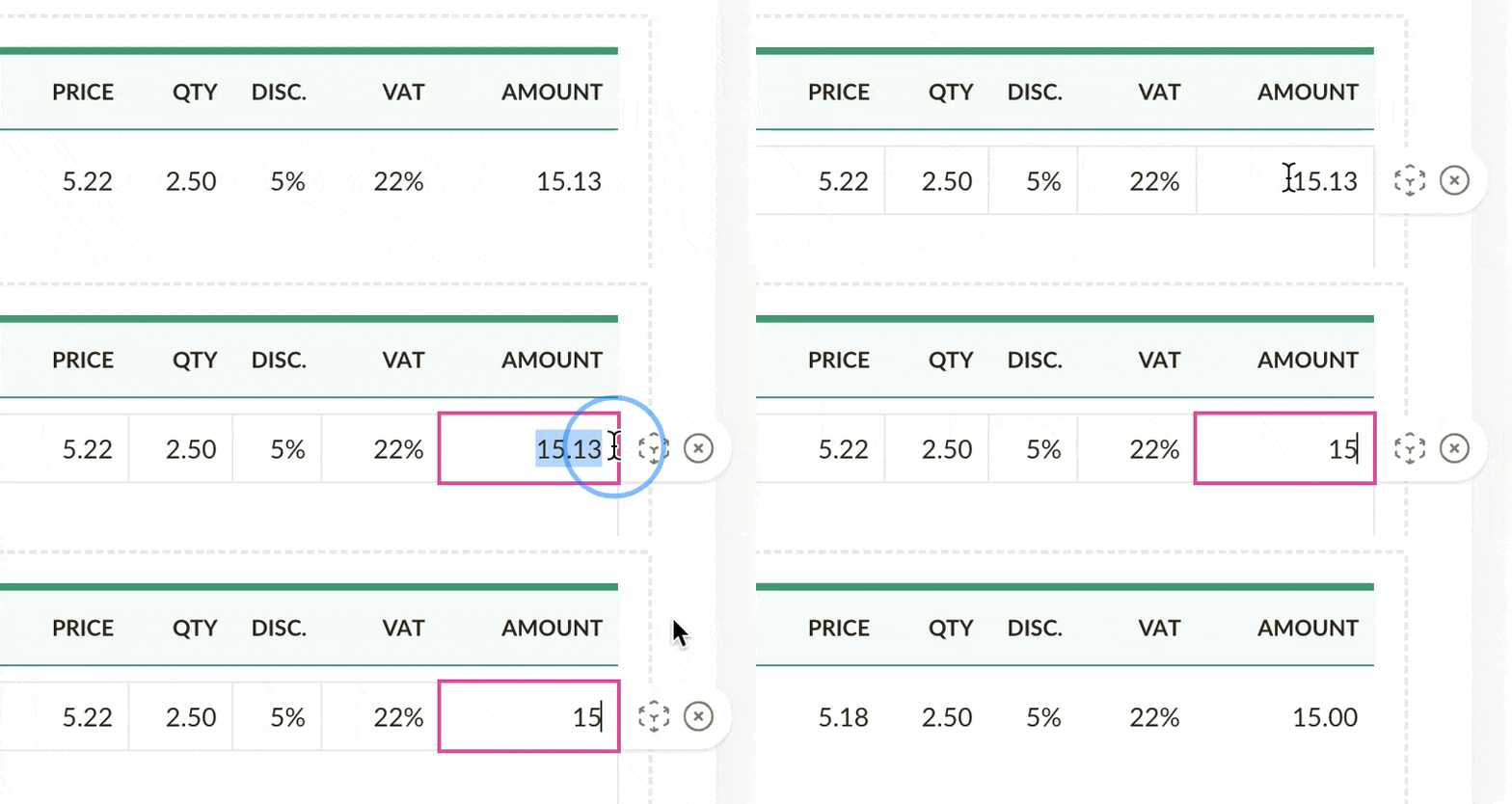
We've re-introduced the possibility to adjust line item amounts on invoices (and estimates). This feature was previously available in Sliptree, but did not initially make it to the new version. We've listened to your feedback and decided to bring it back.
Here's how it works: sometimes, you might need to adjust the amount of a line item on an invoice. For example, let's say the line item adds up to something like $15.13, but you'd like to give a small discount and make it exactly $15.00. Instead of trying to tweak teh discount percentage or the net price, or the quantity, simply enter 15 to the line item amount field and Sliptree will adjust the net price automatically.